
This guide shows how to let Bedrock players mobile, console, Windows join your Java server using the same IP and port.
⚡ Step 1 — Install Plugins
Use the built-in plugin installer:
- Open your server panel
- Make sure you have either Paper 1.21.11 or Spigot 1.21.11 installed. (Select version from "Server Version Type")
- Go to Plugin Installer
- Install:
- Geyser
- Geyser and foodgate auto uploader
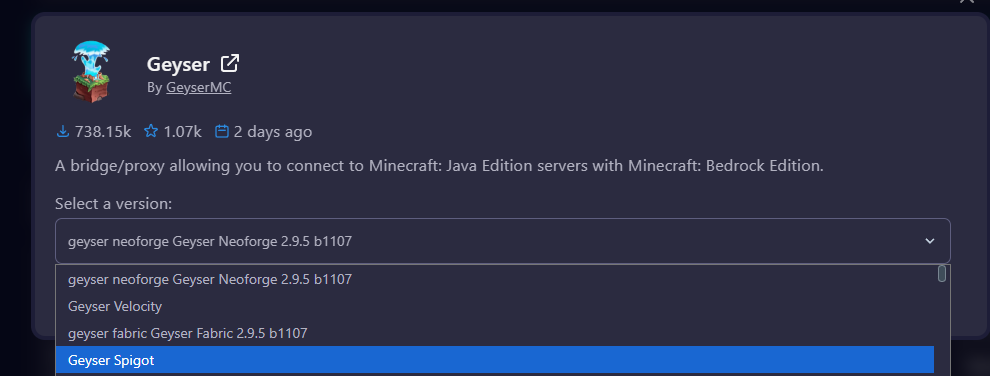
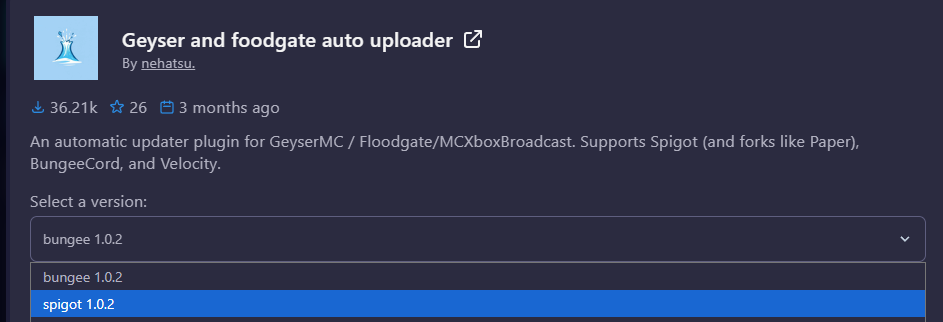
Step 2 — Restart Server
After installing:
➡️ Restart your server
⚙️ Step 3 — Open Geyser Config
Open Files (File Manager)
Go to:
/plugins/Geyser-Spigot/config.yml

Open Config.yml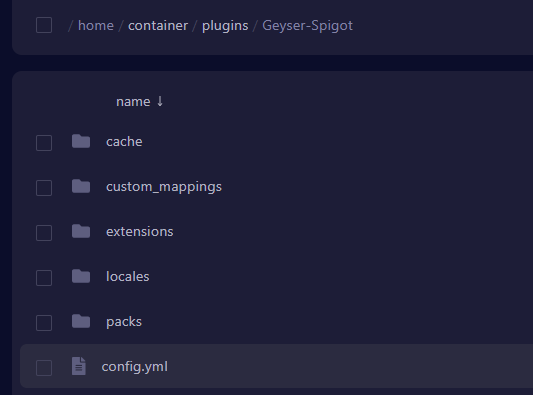
✏️ Step 4 — Change Clone port and Auth Type
Find this line:
clone-remote-port: falseReplace it with:
clone-remote-port: true
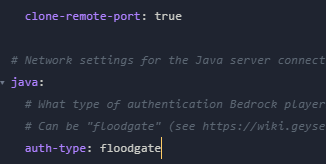
Find this line:
auth-type: onlineReplace it with:
auth-type: floodgate
Save the file
Step 5 — Restart Server
Restart your server again to apply changes
Done — How Players Join
Java Players
➡️ Join normally
Bedrock (Mobile & Windows)
➡️ Use the same IP and port as Java
Console Players (Xbox / PlayStation)
Console editions don’t allow direct server IP entry.
We recommend using BedrockConnect: <- Download this APP from Appstore
How to connect to a crossplay server:
https://wiki.bedrockconnect.app/docs/getting-started/xbox-playstation
Notes
- No extra ports required
- No firewall changes needed
- ⚡ Everything runs on the same address
❗ Troubleshooting
Bedrock players can’t join
- Check:
auth-type: floodgate- Restart server after editing
Still not working
- Make sure both plugins are installed
- Ensure server is fully restarted